
Orthodontic Practice Management Software: What to Look for (& Where EasyRx Fits)
.png)
Orthodontic practices don’t run on one-time visits. You’re managing long treatment timelines, repeat appointments, moving parts between the front desk and the clinical team, and often a steady flow of appliances and lab work that has to be right the first time.
When your systems don’t support that reality, you feel it fast: duplicate data entry, unclear handoffs, avoidable remakes, and patients stuck waiting on the next step.
This guide covers what orthodontic practice management software should offer, what to consider when comparing options, and how EasyRx can help if your main challenges are case communication, lab coordination, or production bottlenecks.
What Practice Management Software Means in Orthodontics
At its core, practice management software is the system your team uses to run daily operations. Most platforms cover the basics in some form, including:
- Scheduling and appointment management: provider calendars, chair time, templates, reminders
- Patient records: demographics, notes, documents, images, attachments
- Billing and payments: ledgers, insurance workflows, payment plans, collections
- Reporting: production and collections, no-shows, treatment starts, outstanding balances
Orthodontics adds complexity that general practice tools don’t always handle cleanly. You’re seeing patients more frequently, tracking progress over months (often years), and coordinating multiple steps that happen outside the operatory. That means “good enough” practice management can still leave gaps in the workflows that matter most.
In orthodontics, your software needs to support:
- High-volume, repeating appointments with consistent scheduling templates and fast check-in/check-out
- Long treatment arcs where it’s easy to see where a patient is in the process and what’s next
- Frequent adjustments and follow-ups that require clear documentation and streamlined team communication
- Appliance and lab-dependent work, where missing details can trigger delays, back-and-forth, or remakes
- Standardized processes across the team so cases don’t depend on who happened to be at the front desk that day
When those ortho-specific workflows aren’t supported, the result is usually the same: more manual work for your team, less visibility into case status, and more opportunities for errors that impact both turnaround time and patient experience.
Who Benefits Most from Upgrading?
Practices that benefit most from upgrading include those experiencing rapid growth, multi-location groups, or those working with in-house or partner labs. Practices with heavy aligner or appliance workflows will also see notable advantages.
Problems Ortho Teams Want Their PMS to Solve
- Manual processes and duplicate data entry
- Broken handoffs between the front desk, clinical team, and lab
- Remakes and delays from missing details
- Poor visibility into case status, approvals, and turnaround time
- Inconsistent processes across locations/providers
- Patient communication friction (missed appointments, unclear next steps)
- Reporting gaps (production, case volume, lab spend, remake rates)
Orthodontic Practice Management Software vs. “All-in-One” Platforms vs. Point Solutions
What to Look for: A Buyer’s Checklist
- Scheduling and capacity tools: Multi-provider templates, chair/time blocks, waitlist, automated reminders
- Patient records and clinical documentation: Easy charting, attachments, standardized templates, audit trail
- Billing, insurance, and payment tools: Ortho-specific billing workflows, payment plans, ledgers, and claim management
- Reporting and analytics: Production, collections, case starts, outstanding A/R, no-show rate
- Multi-location and role-based access: Permissions, location-level dashboards, provider performance
- Security and compliance: HIPAA, access logs, encryption, backups, least-privilege controls
- Implementation, training, and support: Onboarding plan, data migration, go-live support, ongoing training
What to Look for: Orthodontic-specific Workflow Capabilities
These features are the “difference-makers” for ortho teams:
- Appliance and lab workflow management: Case submission, prescriptions, approvals, tracking, remake prevention
- Digital file handling: Intraoral scans, photos, STL/PLY, consistent naming/versioning
- Standardized processes: Checklists and required fields to reduce missing info
- Case status visibility: Who’s waiting on what, SLA/turnaround time, alerts/escalations
- Communication built into the workflow: Notes, comments, notifications for team/lab/patient-facing updates
- Integration with orthodontic ecosystem: Imaging, scanners, aligner systems, eRx, accounting, payment processors
Common “Gotchas” That Cause Regret Later
- Paying for features you won’t use because daily workflows don’t change.
- Vendor lock-in without easy export and unclear data ownership.
- Integrations that are “manual with extra steps.”
- Poor permission controls that create HIPAA risks and operational chaos.
- No clear process for lab prescriptions/approvals to remakes.
- Underestimating training needs and time-to-value.
Evaluation Framework: How to Choose the Right Software
Vendor Questions to Ask
Workflow and daily use
- Show me the full “start > submit > track > deliver” workflow for a real orthodontic case using your system (not slides): What are the exact clicks, fields, and handoffs, and how long does it take?
- Where do errors and remakes usually happen in your customers’ workflows, and what in the product prevents them (required fields, templates, validation, approvals, checklists)?
Data and integrations
- Which integrations are truly native vs. API-based vs. export/import? For each one, what data moves automatically, in which direction, and how often?
- What happens when something fails (API downtime, mismatched fields, duplicate patients): How is it logged, alerted, and resolved?
Permissions and security
- Can you walk me through role-based access for front desk, assistants, doctors, and lab users: What can each role view/edit? Can we customize by location?
- What security controls and auditability are included (audit logs, encryption, backups, retention)? How quickly can you restore data if something goes wrong?
Implementation
- What does a typical implementation look like for a practice like ours (timeline, milestones, who does what)? What do you need from us to stay on schedule?
- How does data migration work (what migrates, what doesn’t, validation steps, cutover plan)? How do you handle historical records and attachments?
Support
- What support do we get after go-live (hours, channels, response-time targets)? Do we have a dedicated CSM or onboarding specialist?
- What training is included for different roles? What does “successful adoption” look like at 30/60/90 days?
Pricing
- How is pricing structured? What’s the true total cost of ownership: Per provider vs. per location, required add-ons, implementation/migration fees, integration costs, and minimum term?
Where EasyRx Fits
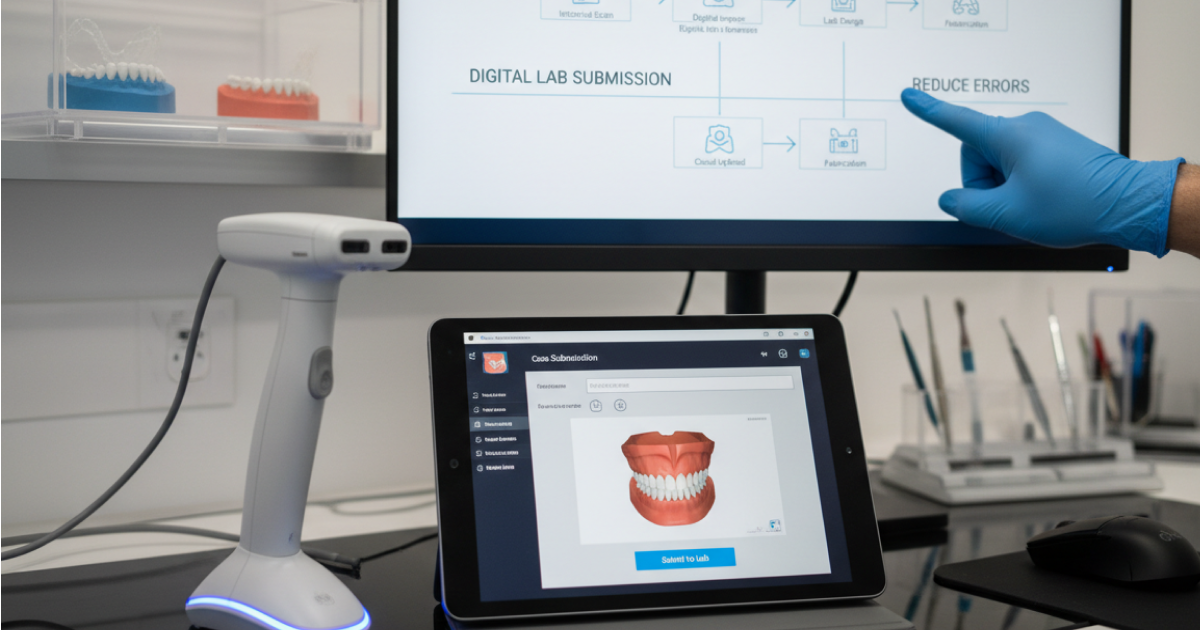
EasyRx is a cloud-based digital workflow platform that connects orthodontic practices and labs so prescriptions, files, and case communication live in one place.
For practices, EasyRx Practice serves as case management and digital lab prescription software, helping you submit, manage, and track prescriptions so appliances arrive on time.
EasyRx helps practices solve:
- Missing details and constant back-and-forth by using standardized digital prescriptions, required fields, and templates.
- Inconsistent case submission and approvals by giving teams a repeatable workflow for sending prescriptions and managing updates.
- Poor visibility into case status and turnaround times with centralized tracking so everyone knows where each case stands.
- Remakes and delivery delays by reducing errors at submission and keeping communication tied to the case (not scattered across emails and sticky notes).
- Inefficient handoffs between front desk, clinical, and lab by keeping case info, files, and messages in one place.
Who EasyRx is best for:
- Ortho practices that do significant appliance volume
- Multi-location groups needing standardization
- Teams seeing frequent remakes or lab communication issues
- Practices adopting more digital scanning workflows
Key EasyRx Capabilities
- Simplify case submission: Digital prescriptions, required fields, templates
- Keep cases moving: Approvals, notifications, tracking and status updates
- Centralize case files: Scans/photos/files attached to the case
- Standardize across locations: Consistent workflows and permissions
- Reporting/visibility: Activity, turnaround, remake drivers (if applicable)
- Integrations/compatibility: How EasyRx works alongside your existing PMS and tools (position it as complementary)
Example Workflows with EasyRx
- Retainers and appliances: prescription workflow
Before: paper/forms, missing details, follow-up calls.
After: standardized digital prescription with required fields, files attached, clear status from submission to delivery. - Aligner cases: submission and tracking
Before: details spread across systems, unclear next steps.
After: case submission plus centralized tracking so the team can see progress and what’s needed next. - Revisions and remakes: error-proofing the request
Before: incomplete remake requests, repeated clarifying messages, longer turnaround.
After: required information and attachments captured up front, with communication tied to the case to reduce delays. - Multi-location workflows: standardizing templates across sites
Before: each location does it differently, inconsistent quality and outcomes.
After: shared templates and consistent steps so every provider and location follows the same process.
Pick a PMS that runs the practice + a workflow layer that runs the cases. See EasyRx in action.

.png)

.svg)
.svg)

.svg)
.svg)